

SMS plugin for WooCommerce and WordPress
For stores in Israel: Vibrate SMS texts your customers on every order update, alerts your team to every new order and keeps a full delivery log. It installs in minutes with no code, and a message of up to 256 characters counts as one SMS.
Version 1.2.2 · WordPress 6.2 or later · Israeli numbers only
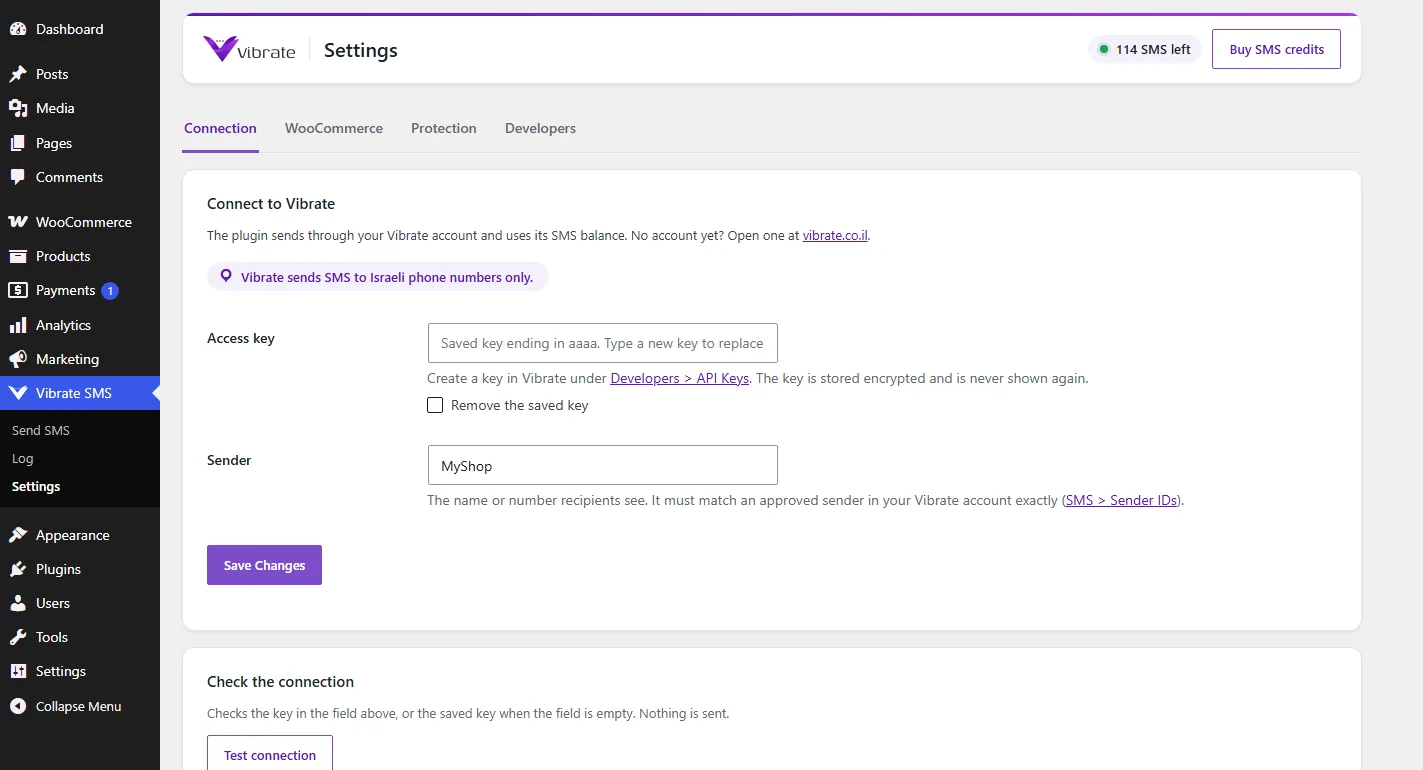
This is how it looks inside WordPress
Real screenshots of the current version, with the interface in English.
An automatic SMS on every order update
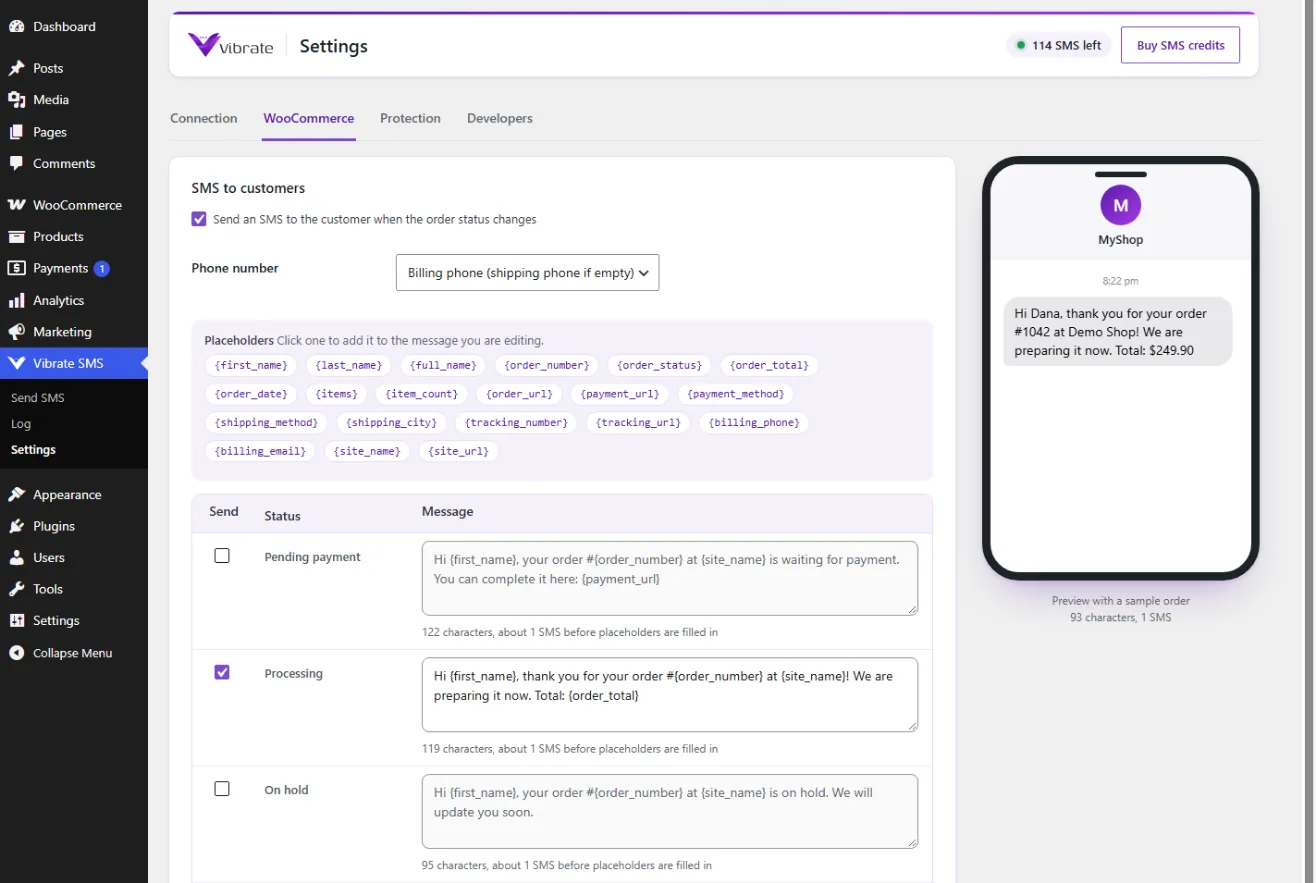
The moment an order changes status, the customer gets a message: order received, order completed, failed payment with a link to pay again, cancelled or refunded. You choose which statuses send, custom statuses included, and each status has its own text.
Messages go out in the background, so checkout never waits for an SMS, and each status is sent only once per order, even when an order moves back and forth between statuses.
Order placeholders
The customer's name, order number, total, items, payment link, order link and tracking number are filled into the message automatically.
Alerts to your team
A message to the store manager's or the team's phones for every new order, or for any status you choose.
Notes to the customer by SMS
Every note to the customer you add to an order can also go out as an SMS.
Send from the order screen
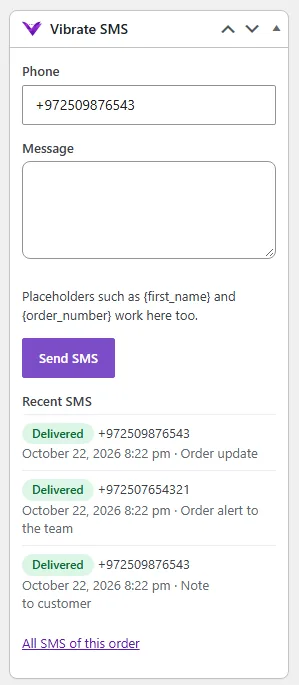
An SMS box beside the order: write, send and see every message of that order.
Recorded in the order notes
Every SMS sent, refused or blocked is recorded as a private note on the order.
HPOS and block checkout ready
Works with WooCommerce's new order storage and with the block-based checkout.
See the message before it goes out
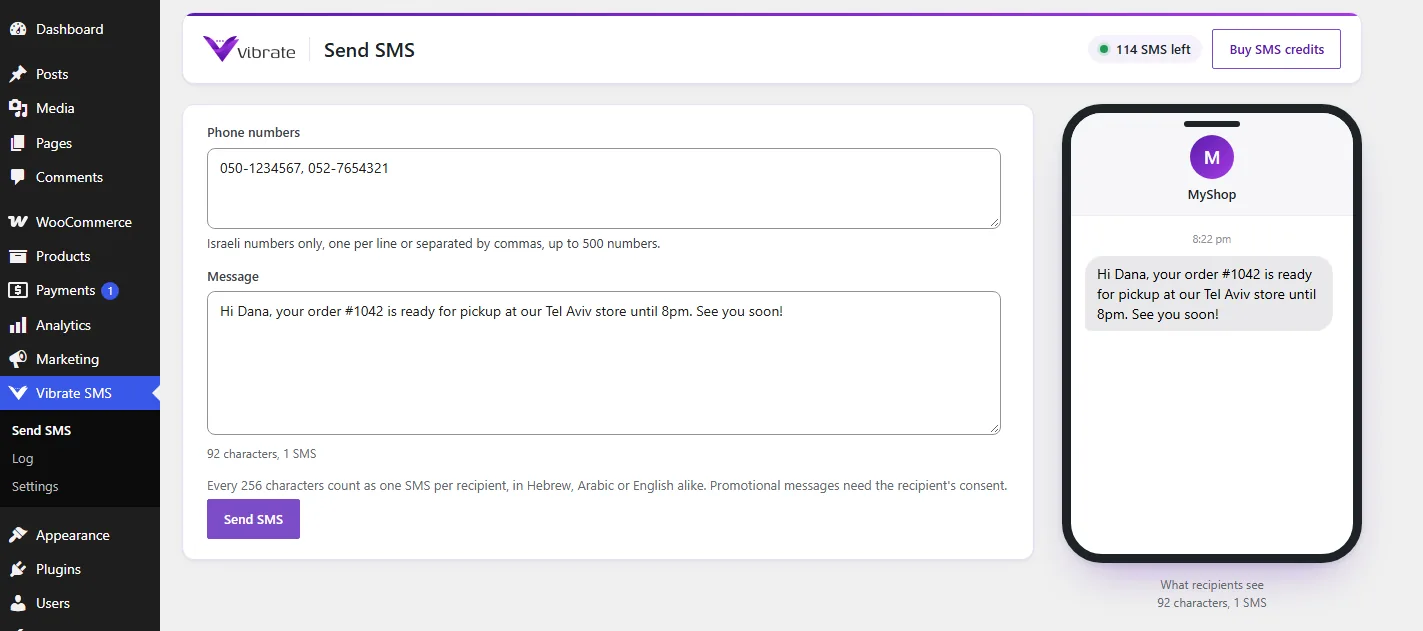
Next to every text is a phone showing the message the way the customer will get it: your sender name on top, and the placeholders already filled in from a sample order. The character counter shows how many SMS units the message will cost.
On the Send SMS page you can also send a message by hand to a list of numbers, with the same preview.
An SMS log with delivery status
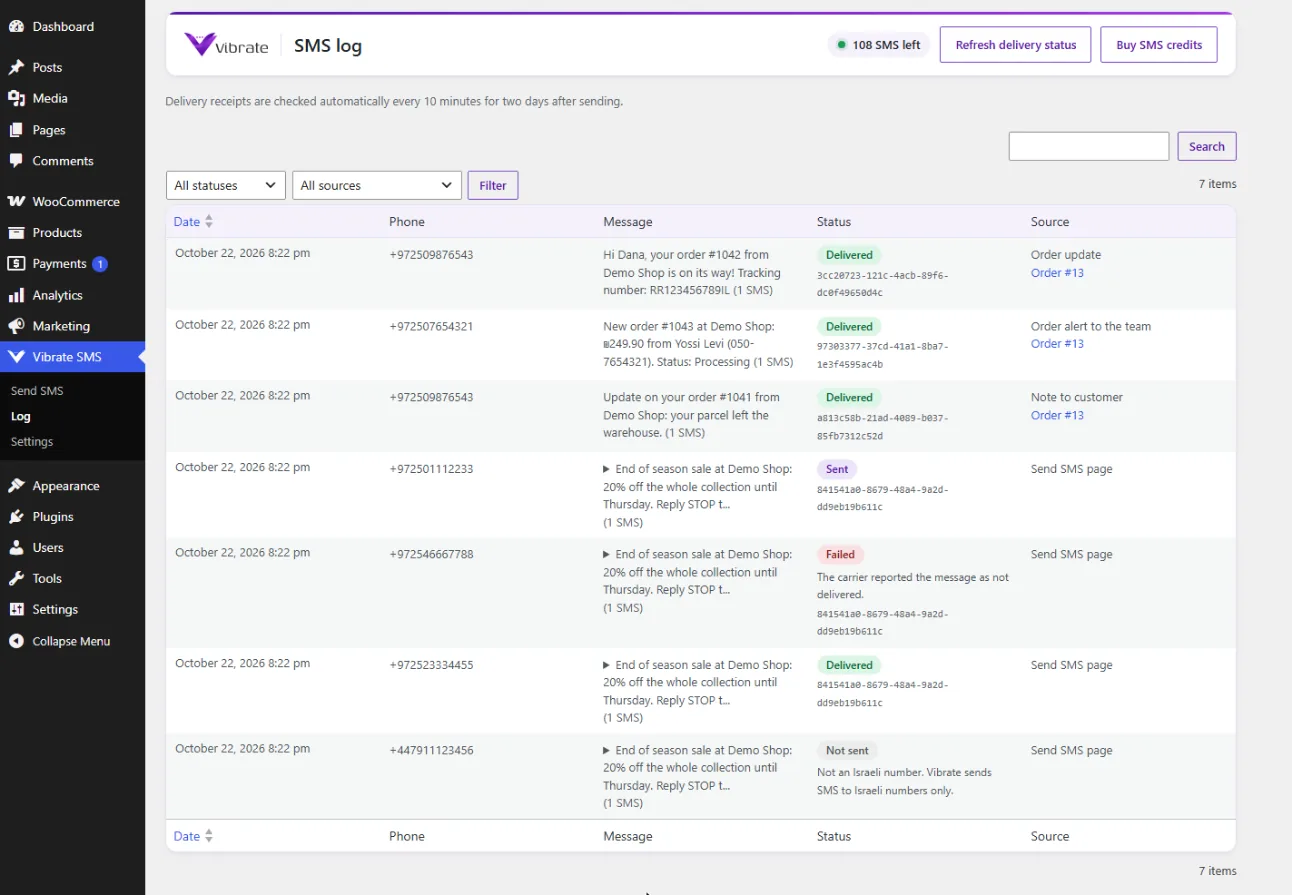
Every message is logged with its status: accepted, sent, delivered, failed or not sent, and for anything not sent, the reason. Delivery receipts are updated automatically every 10 minutes for two days after sending.
If Vibrate does not answer in time, the plugin tries again in the background with the same request ID, so a retry never sends or bills the same message twice.
Packages and prices
A one-time payment, with no monthly subscription and no commitment. Messages never expire.
* All prices include VAT. One billing unit is up to 256 characters, in English and Hebrew alike. Messages never expire, and you can upgrade your package at any time.
Questions about the WooCommerce SMS plugin
The plugin is free. You pay only for the SMS messages, from Vibrate's packages: every 256 characters are one unit, in English and Hebrew alike, and messages never expire.
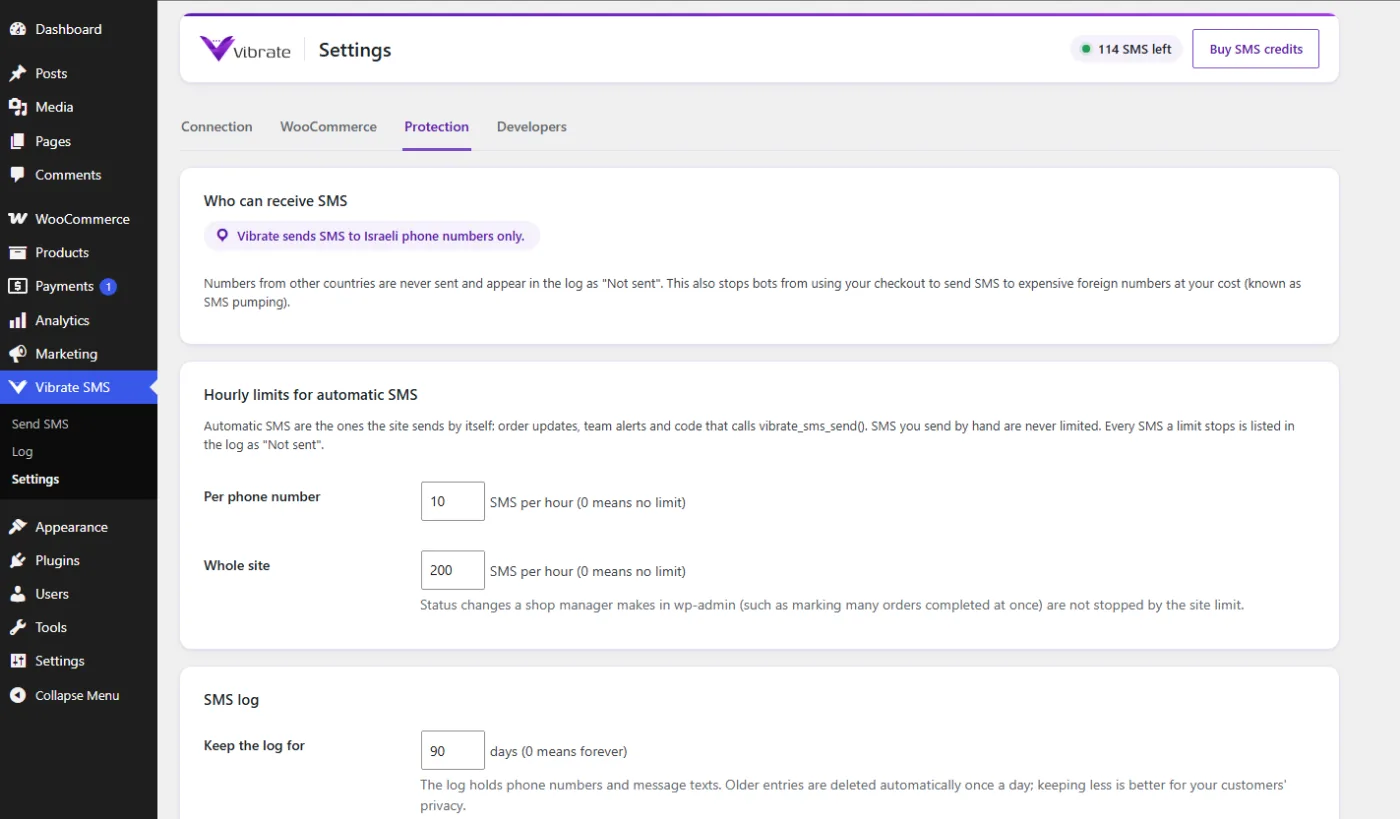
No. Vibrate sends SMS to Israeli phone numbers only. A number from another country is never sent and never charged, and it appears in the log as not sent, with the reason.
A Vibrate account with SMS credits, an access key and an approved sender. The site needs WordPress 6.2 or later and PHP 7.4 or later, and WooCommerce 7.0 or later for order messages.
Yes. The Send SMS page, the SMS log and the vibrate_sms_send() function for developers work on any WordPress site. Order messages need WooCommerce.
No. Order messages are sent in the background, so the customer never waits. If Vibrate does not answer, the plugin tries again after a minute, 5 minutes and 15 minutes, without sending twice.
The plugin's SMS log shows every message with its status, and for anything not sent, the reason: an invalid number, a number from abroad, an hourly limit or Vibrate's answer. Every message is also recorded as a note on the order.
Updates come straight from vibrate.co.il and appear on the WordPress Updates screen like any other plugin's, ready to install in one click.
English, Hebrew and Arabic, following the site's language. The default message texts come in the site's language, and you can rewrite every one of them.
Ready to start sending?
Opening an account takes a minute, with no credit card and no commitment. You can send your first test message right after signing up.